Electronics retailers, mobile shops, and accessory counters.
Electronics & mobile shop POS software
Mobile, accessories, and electronics shops need clean bills, accessory barcodes, and a view of what is left in the glass counter. BezPOS keeps that locally.
Who this is for
Electronics retailers, mobile shops, and accessory counters need fast scans, accurate bills, and a clear view of high-value stock behind glass. Customers expect a clean receipt even when warranty talk happens at the till.
BezPOS manages products, stock quantities, sales, and related business records. Do not assume a dedicated IMEI register unless you store that information in the product fields you control.
Daily problems at this counter
Accessories have barcodes; customers expect a fast scan. Manual code entry during rush hours creates wrong SKUs and returns.
High-value items make stock mistakes expensive. Similar chargers and cables need images and brands, not memory.
A power or ISP cut should not freeze billing when a customer is already at the counter with a phone in hand.
Shop expenses — rent, rider, packing — never make it into a sales-only notebook, so “profit” is overstated until month end.
- Accessories have barcodes; customers expect a fast scan.
- High-value items make stock mistakes expensive.
- Warranty talk happens at the counter; the bill still has to be right.
- A power or ISP cut should not freeze billing.
How BezPOS features solve them
Barcode scanning speeds accessory and tagged-item billing; camera scanning helps on Android when a dedicated scanner is not available.
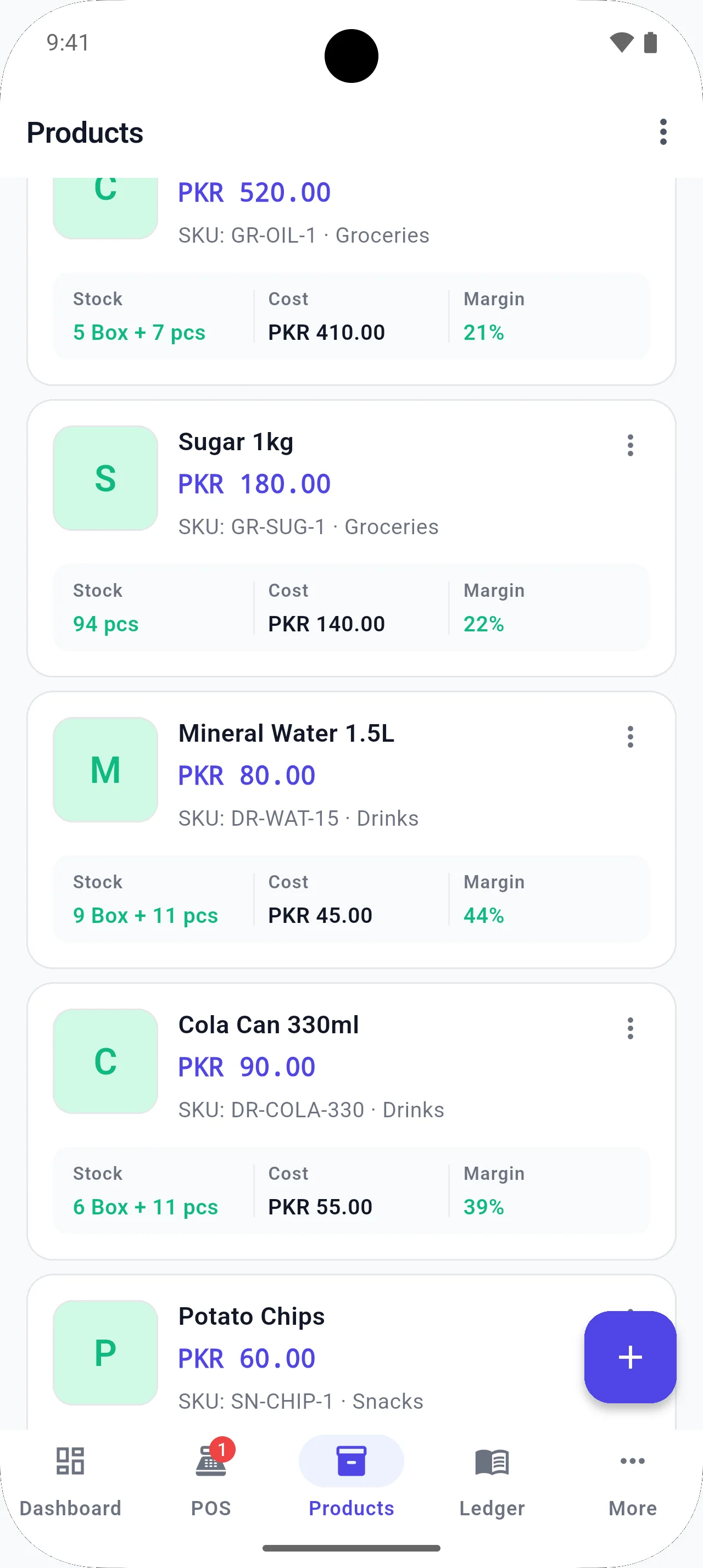
Inventory management with product images distinguishes similar SKUs in the glass counter.
Expense management places shop costs next to sales and profit reports.
Offline POS and PIN/biometric access (where supported) keep the till usable and protected without a BezPOS cloud login.
- Scan accessories and tagged items quickly.
- Keep product images to distinguish similar SKUs.
- Protect the till with PIN or biometrics on supported devices.
- Record shop expenses alongside sales.
Running the counter day to day
Accessory counters win on speed and accuracy. A wrong charger SKU is a return, a support argument, and a stock lie. Barcodes, brands, and product images shrink that risk faster than asking staff to be careful.
High-value items make offline reliability personal: you do not want a frozen cloud till while a customer holds a phone they already decided to buy. Local billing protects the moment of sale; optional Drive backup protects the history afterward.
Expenses are easy to ignore when sales feel strong. Rider fuel, packing, and rent still exist. Logging them beside sales keeps profit conversations honest — especially in competitive mobile markets where discounting is common and memory is optimistic.
Accessories turn over weekly; phones may not. Use low-stock alerts on cables and chargers even if you eyeball handsets. The boring SKUs are the ones that create out-of-stock disappointment during a phone sale.
Protect the till with a PIN when staff step away. High-value counters attract curiosity; access control is part of inventory protection.
Local context
Mobile and electronics markets in Pakistan are competitive and often noisy with shared networks. Offline-first billing protects the sale when connectivity dips, while local inventory helps you know what is actually left in the counter.
Example workflow
- Load phones, accessories, and cables with brands and barcodes.
- Bill with scanner; edit the sale if an item is swapped from the display.
- Watch low stock on chargers and cables that turn over weekly.
- Back up to Google Drive after a heavy sales day.
Relevant features
Related guides
FAQ
Questions for this shop type
Does BezPOS track IMEI or serial numbers?
BezPOS manages products, stock quantities, sales, and related business records. Do not assume a dedicated IMEI register unless you store that information in the product fields you control.
Can I scan accessory barcodes?
Yes. External scanners are supported, and camera scanning is available on supported Android devices.
Can I record shop expenses?
Yes. Expenses sit next to sales so profit reports are not sales-only.
Will billing work without internet?
Yes. Everyday POS runs from local data on the device.
Get started
Run your business with BezPOS.
Put billing, stock, ledgers, and expenses on the device you already use at the counter.