Medical stores, pharmacies, and health-product counters.
Pharmacy POS & inventory software for medical stores
Pharmacies cannot guess shelf quantities. BezPOS keeps product records, stock, and billing together, with local data so a connectivity issue does not close the counter.
Who this is for
Medical store and pharmacy owners need trustworthy stock and clear bills. Similar medicine names, large catalogs, and rotating staff make mistakes expensive — and a frozen cloud app is not an option when a customer is waiting for a pack.
BezPOS is POS, inventory, and business-record software for medical stores. It does not replace a licensed pharmacy information system or claim regulated dispensing workflows.
Daily problems at this counter
Large catalogs with near-identical names invite billing mistakes if staff rely on memory instead of search, brand, and barcode.
Stock must be trustworthy. Empty boxes behind a full-looking shelf lose customers and create emergency supplier calls.
Staff may rotate across shifts. An open till without PIN or biometric unlock (where supported) is a risk for a high-SKU counter.
Internet in mixed-use buildings is not guaranteed. If billing depends on a live server, a connectivity blip stops the medical store mid-sale.
- Large catalogs with similar names invite billing mistakes.
- Stock must be trustworthy; empty boxes on a shelf lose customers.
- Staff may rotate, so access should not be an open till.
- Internet in mixed-use buildings is not guaranteed.
How BezPOS features solve them
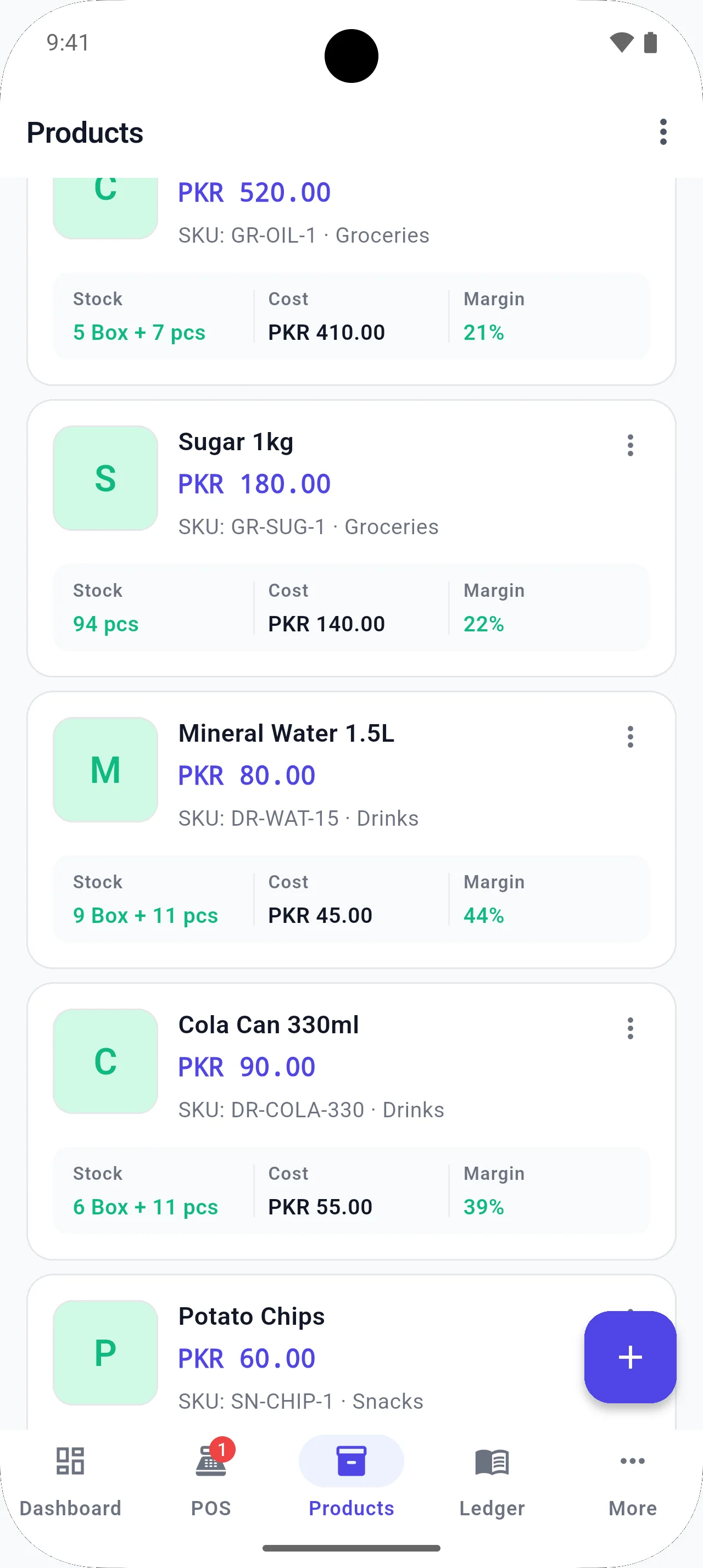
Inventory management keeps product-level stock, low stock, and out-of-stock states with the same catalog you bill from.
Bulk product entry and XLSX import help when you already maintain a medicine or OTC list in Excel instead of tapping one form a hundred times.
Barcode scanning speeds correct pack selection when barcodes are present on packs.
Offline POS keeps selling from local data; optional Google Drive backup is separate from everyday billing. PIN and biometric access protect the app where the device allows.
- Organize products with categories and brands.
- Track stock at product level, including low and out-of-stock states.
- Protect the app with a PIN, and biometrics where the device allows.
- Keep selling offline; back up to Google Drive on your schedule.
Running the counter day to day
Medical stores live on catalog trust. Two packs can look alike and sound alike; the wrong one on a bill is not a small retail mistake. Search, brand fields, barcodes where present, and product images are not nice extras — they are how you reduce wrong-bin picks when the counter is busy.
Staff rotation is common. A PIN on the till (and biometrics where the device supports it) is basic hygiene for a high-SKU shop. Combine that with local data so a connectivity blip in a mixed-use building does not stop a sale that should take ten seconds.
Be clear about scope when you choose software: POS and inventory tools help you bill and count. They do not automatically become a licensed pharmacy information system. Use BezPOS for what it is — shop records and stock discipline — and keep regulated workflows in the systems that are meant for them.
Bulk-loading a medicine list is where many shops quit. Resist that. Import what you already maintain, then clean names in batches of fifty. A searchable catalog beats a perfect catalog that never gets finished.
When a pack is swapped after the bill, use sale editing instead of a silent stock tweak. The history should explain what happened so the next shift is not confused by a mystery quantity.
Local context
Medical stores across Pakistan often run long hours in areas where mobile data and shop Wi-Fi are unreliable. Keeping inventory and billing on the device means dukan ka hisab kitab continues even when the connection does not.
Example workflow
- Build the medicine and OTC catalog, with barcodes where packs have them.
- Use bulk entry or XLSX if you already maintain a list.
- Bill from scan or search; edit a sale if a pack is swapped.
- Reorder from low-stock views and receive into inventory.
Relevant features
Related guides
FAQ
Questions for this shop type
Does BezPOS handle prescriptions or regulated pharmacy workflows?
BezPOS is POS, inventory, and business-record software. It does not replace a licensed pharmacy information system or claim to meet every regulated dispensing workflow.
Can I keep the catalog detailed?
Yes. Products can include images, categories, brands, and multiple units where packs and loose units both sell.
Can I import an existing medicine list?
Yes. Bulk table entry and XLSX import/export are available for product lists you already maintain.
Will stock update when I sell?
Yes. Product-level inventory updates with sales so the counter and shelf count stay in the same system.
Get started
Run your business with BezPOS.
Put billing, stock, ledgers, and expenses on the device you already use at the counter.