Grocery shops, mini-marts, and supermarket counters.
Grocery store POS software built for busy counters
Grocery counters need speed: barcodes, variable units, and stock that moves every hour. BezPOS keeps billing and inventory on the same device so the queue does not wait on a cloud page.
Who this is for
Grocery and mini-mart owners who run a queue every evening know that speed is the product. Customers expect a scan, a clear total, and a receipt — not a spinner while the app phones a server.
BezPOS is for grocery counters that need barcode-first billing, multi-unit staples, and stock that updates while the line is still there — on Android, Windows, or macOS.
Daily problems at this counter
Peak hours punish every extra tap. Looking up atta by typing, waiting on weak Wi-Fi, or restarting a frozen cloud bill turns one slow sale into a long queue.
Units change by aisle. Produce and staples sell in kg, grams, packs, and pieces. A POS that only knows “piece” forces staff to convert on paper — and inventory becomes fiction.
Fast movers and short shelf life make stock-outs expensive. If low stock is only noticed at closing, tomorrow’s customers hear “finish” for milk, bread, or cooking oil.
A second till still needs the same local catalog. Cloud-only tools struggle when the shop’s connection is shared with CCTV, a card machine, and every phone on the floor.
- Peak hours punish any extra tap or network spinner.
- Produce and staples sell in kg, grams, packs, and pieces.
- Expiry and fast movers make stock-outs expensive.
- A second till still needs the same local catalog.
How BezPOS features solve them
Barcode scanning (or Android camera scanning) keeps the till scanner-first. See barcode billing in BezPOS for scanner and camera options.
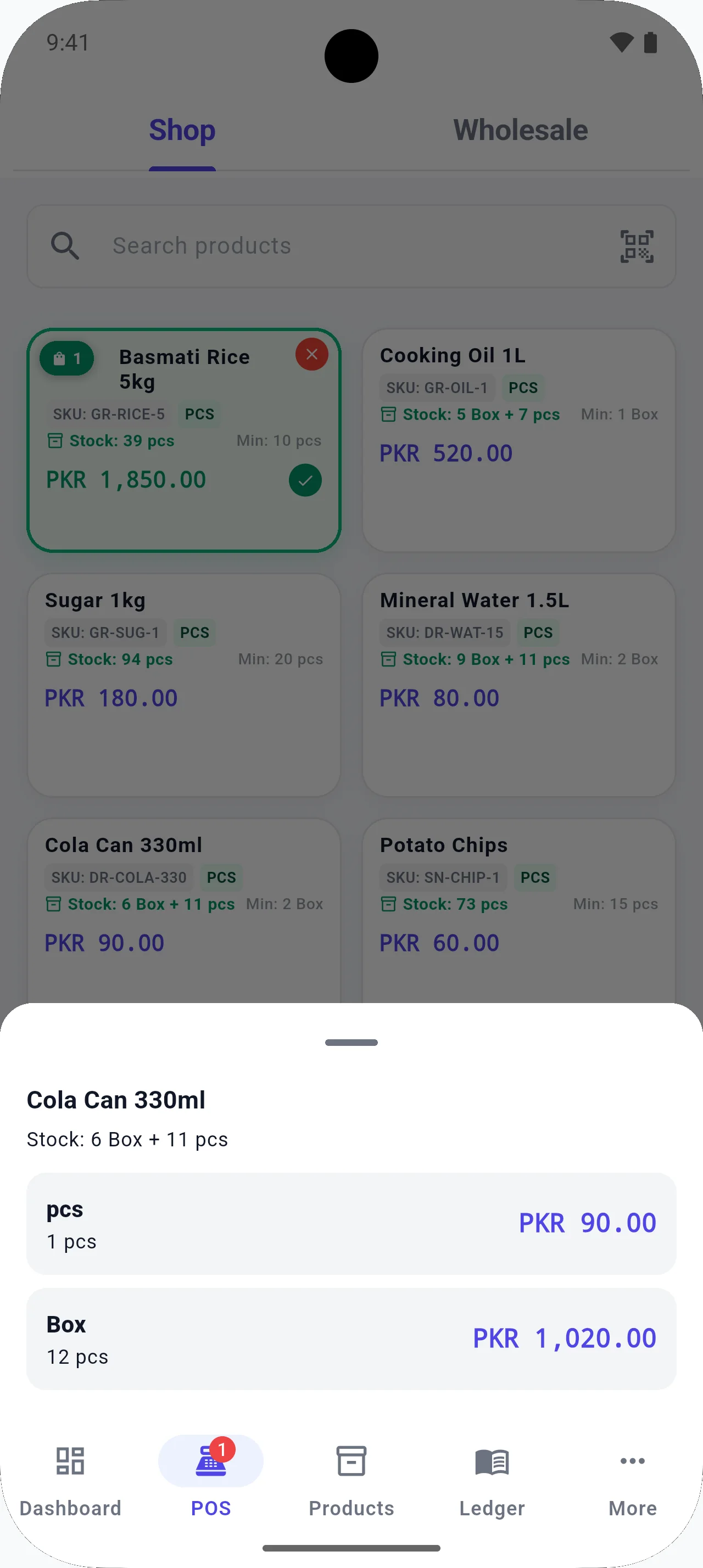
Multi-unit selling matches how grocery actually sells: carton vs bottle, kg vs gram, pack vs piece.
Inventory management and stock orders show low stock before the evening delivery is missed, then receiving updates quantities when goods arrive.
Offline POS means a dropped connection does not freeze the queue — critical for shops where the router sits behind a freezer.
- Scan barcodes with a scanner or the phone camera.
- Sell the same staple in more than one unit.
- Watch low stock on items that turn over daily.
- Hold a bill when a customer runs back for bread.
Running the counter day to day
Grocery margins are thin and time is expensive. Every second of lookup delay during the evening rush is a second of queue length — and queue length is how customers decide to try the next mini-mart. That is why grocery POS evaluation should weight scanner speed and offline reliability above decorative analytics.
Units are where grocery software quietly breaks. If staff must convert cartons to bottles in their head, stock will be wrong within a week no matter how carefully you counted opening inventory. Configure multi-unit items on day one for oil, drinks, and staples you break from wholesale packs.
After closing, the useful reports are simple: what sold, what is low, what stock is worth, and which expenses ate the day. Fancy charts do not replace receiving today’s delivery into inventory before the rider leaves. Build that receiving habit and your morning shelf count stops being a surprise.
If you run two tills, treat catalog discipline as shared property: the same barcodes, the same units, the same names. BezPOS is offline-first on each device and does not live-sync locations over the cloud — plan how each till’s catalog stays aligned, and use Drive backup as protection for the device that holds your main records.
Choosing grocery POS software is easier when you score vendors on a one-page sheet: offline sale, multi-unit item, low-stock list, receive delivery, credit customer. Anything that fails that sheet fails the shop, no matter how polished the homepage looks.
Local context
In Pakistan, grocery and mini-mart counters often face load-shedding and congested evening data. An offline-first grocery POS lets you keep billing and dukan ka hisab kitab on the till device, then back up to Google Drive when power and internet return.
Example workflow
- Import or bulk-enter the grocery catalog, including barcodes.
- Configure units for loose and packed goods.
- Bill with scanner-first flow during rush hours.
- Receive supplier deliveries into stock.
- Check sales and stock value after closing.
FAQ
Questions for this shop type
Can grocery shops use camera scanning?
Yes on supported Android devices. A dedicated scanner is still faster for a busy till.
Does BezPOS replace a supermarket ERP?
BezPOS is built for shop-level POS, inventory, ledgers, and reports. It is not positioned as a multi-branch cloud ERP.
Can I sell loose and packed goods from one product?
Yes, by configuring multiple units so inventory and selling units can differ for the same staple.
Will billing work during a power or internet cut?
If the device itself is powered (phone battery or UPS on a PC), offline POS continues from local data. Internet is not required to take a sale.
Get started
Run your business with BezPOS.
Put billing, stock, ledgers, and expenses on the device you already use at the counter.