Sales
See what moved across the counter, not just a memory of a busy day.
Product
BezPOS runs billing, inventory, product records, ledgers, expenses, and reports on the Android phone, Windows PC, or Mac at the counter. Everyday selling stays on that device, including when the internet drops.
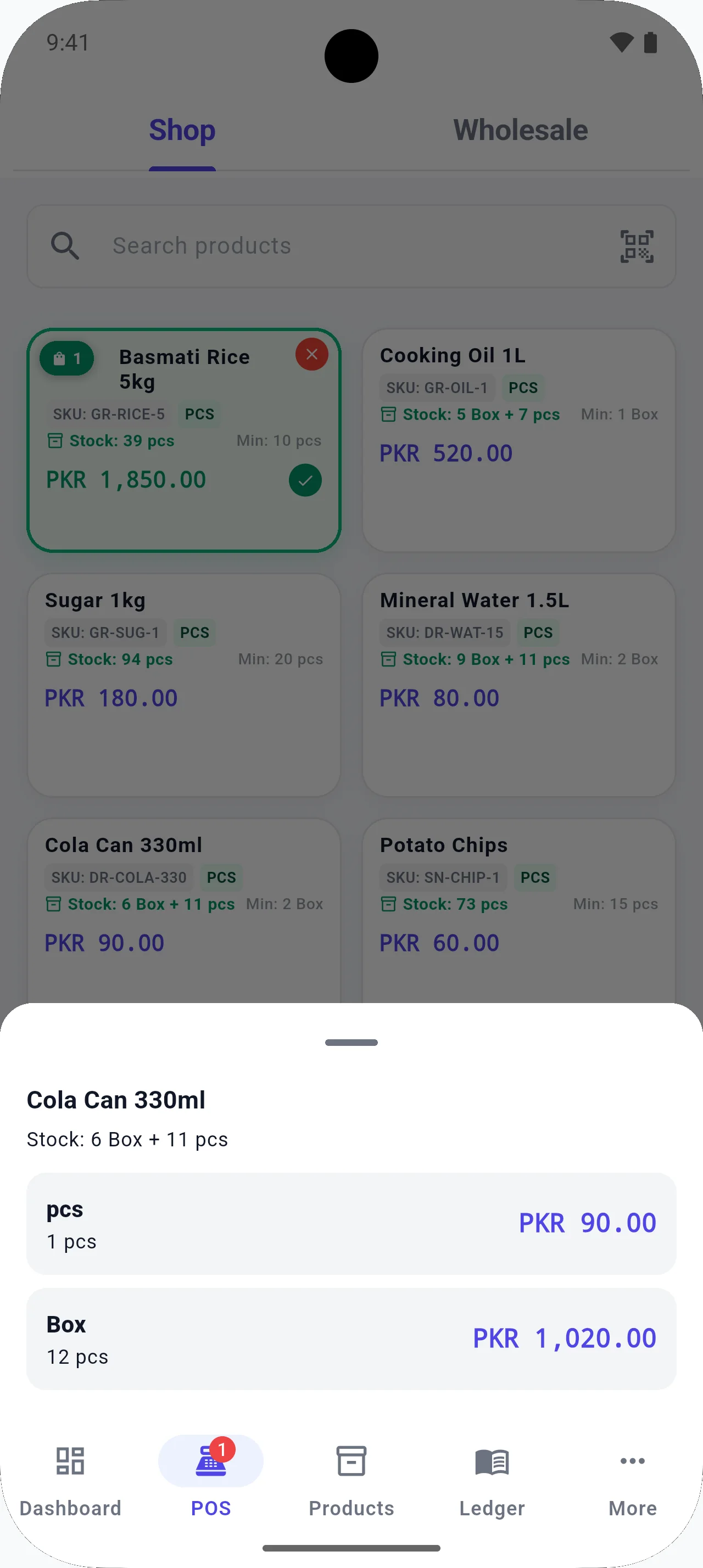
Bill customers quickly with barcodes, camera scanning, hold orders, and sale edits — without waiting on a network.
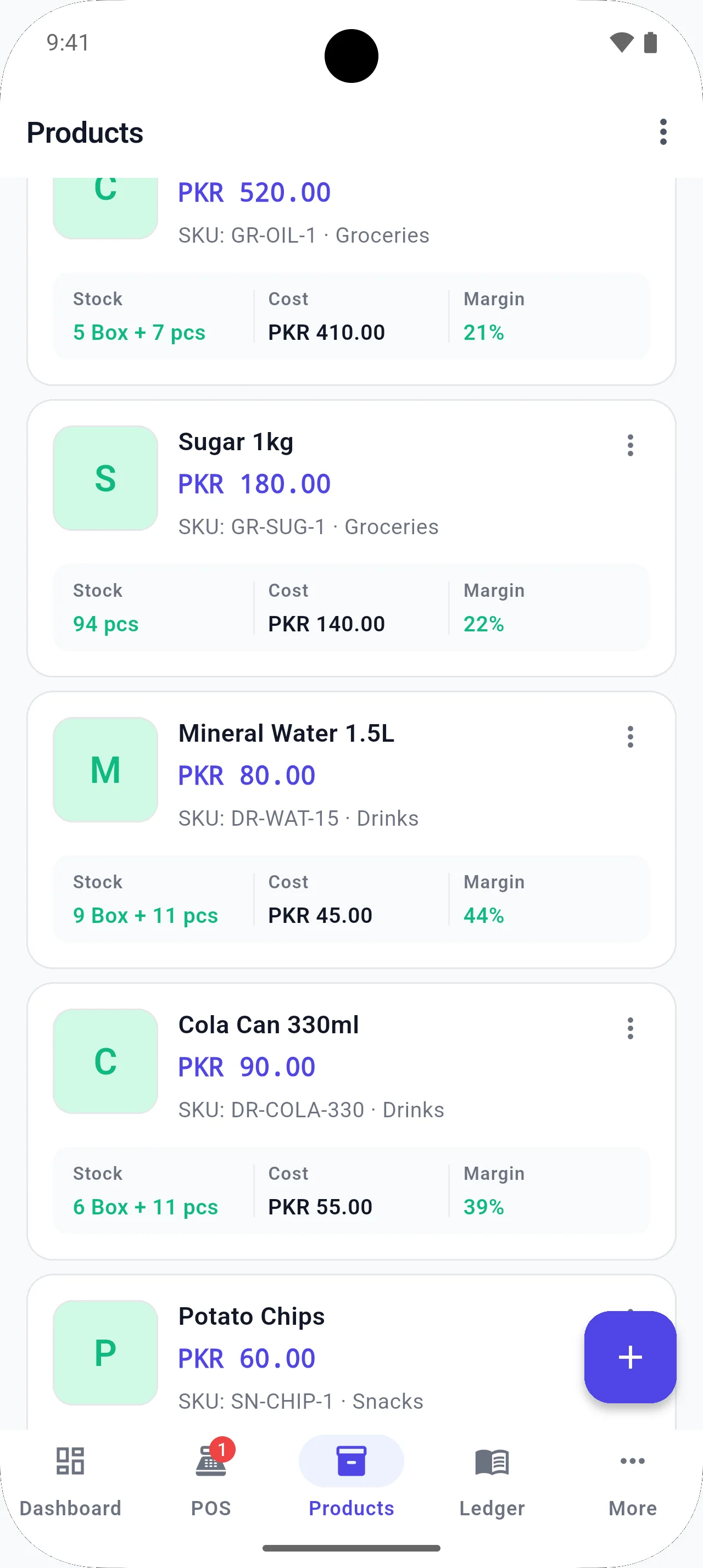
See stock on the counter, not in a spreadsheet you update after closing.
Add one item at a time or fill a spreadsheet-style table when you are loading a large catalog.
Use a hardware scanner at the counter, or the phone camera when you do not have extra hardware.
Buy in boxes, sell in pieces. Keep inventory and selling units aligned for the same product.
Record credit sales and payments so you know who owes what — without a separate notebook.
Track what you owe suppliers and what you have paid, next to the products they supply.
Log shop expenses so profit is not just sales minus guesswork.
Create an order when stock is low, then receive it and let inventory update.
Mark stock as received and quantities move into inventory automatically.
Park a bill when a customer steps away, then resume it without starting over.
Correct a bill when an item is returned or a quantity was entered wrong.
Review sales, profit, stock value, inventory, and expenses from the data already on the device.
Protect access with a PIN, and use biometric unlock where the device supports it.
Keep a copy of business data in your own Google Drive. Everyday selling still works locally.
Connect compatible barcode scanners and receipt printers. Hardware support depends on the device.
Enter many products in a table, and import or export XLSX when you already keep stock in Excel.
Take a bill from local products. Hold it. Resume it. Edit it. Scan it. Print it on compatible hardware.
Stock quantities, low stock, out of stock, stock orders, receiving, and automatic updates after goods arrive.
Images, categories, subcategories, brands, multiple units, and different selling units. Deep pages cover bulk entry and multi-unit selling.
See what moved across the counter, not just a memory of a busy day.
Review profit from the sales and cost records you already keep in BezPOS.
Understand what inventory on the device is worth.
Inspect stock positions, including items that are low or finished.
Place shop costs next to sales when you look at the period.
PIN protection, biometric authentication where supported, and local data on the device. No BezPOS cloud login.
Optional Google Drive backup of local business data. Selling does not require Drive.
External barcode scanners, Android camera scanning, and compatible receipt printers. Support depends on device and connection.
In-app spreadsheet-style bulk product entry, plus XLSX import and export.
Sales
BezPOS is built so billing continues when Wi-Fi drops. Products, prices, and stock live on the device you are using — ideal for shops across Pakistan where the line does not wait for a router.
Inventory
Keep stock quantities, low-stock alerts, and stock value with the same products you sell at the counter — no separate spreadsheet after closing.
Hardware
Scan with a dedicated barcode scanner, or use the Android camera when extra hardware is not available — faster bills with fewer typing mistakes.
Customers
Keep customer balances with the same system you use for billing — an udhaar ledger instead of a separate credit copy or chat thread.
Suppliers
See what you owe suppliers without mixing it into a personal notebook or a chat history — payables next to the products they supply.
Expenses
Record rent, transport, packing, and other shop costs so profit reports are not sales-only guesswork.
Products
Manage products where you stock one unit and sell another — box and piece, kg and gram, carton and bottle — without duplicate SKUs.
Inventory
When stock is low, create an order, receive it, and let inventory update instead of editing quantities twice.
Products
Add one product with its image and details, or load many rows in a spreadsheet-style table. Import and export XLSX when you already have a list.
Get started
Put billing, stock, ledgers, and expenses on the device you already use at the counter.